
 EN
EN
 CN
CN
Many users are easily confused by concepts like "home IP," "residential IP," "data center IP," and "native IP" when dealing with proxy IPs, VPS, or cross-border e-commerce operations. Some ask, "What's the difference between a home IP and a residential IP?" Others buy so-called "residential IPs" only to find their accounts still blocked—what's the problem? Because you might not even understand what type of IP you have.
Home IP and residential IP are essentially the same thing.
Residential IP and home broadband IP are just different names used in different contexts; they essentially refer to the same type of IP address.
A residential IP is a real IP address directly assigned to ordinary home broadband users by their Internet Service Provider (ISP). The public IP address assigned to you by your ISP (China Telecom, China Unicom, China Mobile, Comcast, AT&T, etc.) when you install broadband at home is your residential IP. It corresponds to a real home network environment and a physical address.
Therefore, when you hear terms like "home IP," "home broadband IP," "residential IP," or "civilian IP"—they all refer to the same thing.
The real distinction isn't between "home IP" and "residential IP" (they are essentially the same), but between "residential IP" and "data center IP." This is the key factor determining whether your account will be blocked and whether your business can run smoothly.
Core Differences Between Residential IP and Data Center IP
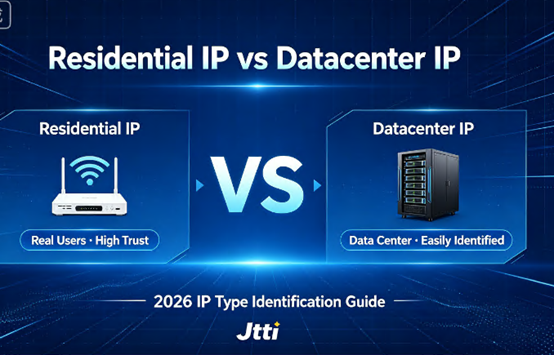
Residential IPs come from home broadband, while data center IPs come from data centers or cloud service providers. The biggest difference is that they appear "like a real person" versus "like a program."
A residential IP looks like a real user browsing the internet—it comes from a home network, with dispersed and diverse traffic patterns, making it difficult for platforms to identify anomalies. Data center IPs are different—they come from servers of cloud service providers like AWS, Alibaba Cloud, and DigitalOcean, with typically high-frequency and automated traffic patterns. Platforms can easily identify "this is a data center IP" and then apply stricter risk control to requests from that IP.
Simply put: Residential IP = the identity of a real user; Data center IP = the identity of a machine.
This also determines that their applicable scenarios are completely different. For social media account management and multi-store management in cross-border e-commerce, residential IPs are the first choice—simulating real users, preventing account association, and preventing account bans. For website hosting, API services, and large-scale data collection, choose data center IPs—fast, stable, and low-cost.
How to determine whether an IP is a residential IP or a data center IP? Four methods
Many users spend a lot of money to buy so-called "residential IPs," only to have them blocked as soon as they go online. The problem lies in the lack of verification—the service provider says whatever it is, without checking it yourself. The following four methods, from simple to professional, will help you thoroughly understand the true identity of an IP.
Method 1: Check ASN Attribution—The most direct and accurate
An ASN (Autonomous System Number) is the "identity card" of an IP address. Each IP address belongs to an Autonomous System; checking the ASN tells you who the IP belongs to.
Use ipinfo.io or ping0.cc and enter the IP address. Examine the ASN and org fields in the returned results:
- Residential IP: The ASN belongs to a broadband provider, such as China Telecom, Comcast, AT&T, or Verizon.
- Data Center IP: The ASN belongs to a cloud service provider or data center, such as AWS (AS16509), Google Cloud (AS396982), or DigitalOcean (AS14061).
ASN attribution is the most crucial basis for determining the IP type. If the ASN shows a broadband provider, it can generally be identified as a residential IP; if it shows a cloud service provider, it is a data center IP.
Method Two: Examine the Hosting and Type tags – Online tools for one-click identification
Use IP lookup tools like ipinfo.io. Examine two key fields:
- Hosting field: If true, it indicates a data center IP, not a residential IP.
- Type field: If it shows residential, it is a residential IP; if it shows hosting or cloud, it is a data center IP.
Some professional tools will also directly label it with "Residential" or "Hosting". This method is the simplest and suitable for beginners.
Method 3: Reverse DNS Resolution (PTR Records) – Checking Domain Name Identity
Execute `nslookup IP address` or `dig -x IP address` in the command line. View the returned domain names:
- Data center IPs often contain keywords such as hosting, cloud, server, and amazonaws.com.
- Residential IPs usually have a string of meaningless characters or a dynamic domain name from the ISP (such as adsl-xxx.isp.com).
This is like an IP's "business card"—data center IPs will openly state "I am a server," while residential IPs will not reveal their identity.
Method 4: Port Scanning – Checking IP "Openness"
Residential IPs and data center IPs have significant differences in port openness.
Use the telnet command to test common ports: `telnet target IP 80` or `telnet target IP 443`.
- Ports 80/443 on residential IPs are usually closed or timed out—home gateways don't expose these service ports by default.
- Ports 80/443 on data center IPs are usually open—servers need to provide web services.
Similarly, maintenance ports like 22 (SSH) and 3389 (RDP) are usually open on data center IPs but closed by default on residential IPs.
How to use these four methods together? First, use Method 2 (online tools) for a quick assessment. If unsure, use Method 1 (check ASN) for final confirmation. For high-value business applications, it's recommended to cross-verify using Methods 3 and 4—multi-dimensional verification is more reliable than a single method.
A commonly overlooked misconception: Residential IP ≠ Native IP
Many users confuse "residential IP" with "native IP," assuming that any residential IP is necessarily a native IP. In reality, these are two different concepts.
The "origin" (source) of the IP: Is this IP assigned to a home user (residential IP) or to a data center (data center IP)?
IP "pedigree" (or "birthplace"): Whether the IP's registration location (country in Whois information) matches its actual geographical location of use. Matching locations are called native IPs, while discrepancies are called broadcast IPs.
All residential IPs are native IPs—because IPs assigned to home users by ISPs are registered and used in the same country. However, not all native IPs are residential IPs—dedicated line IPs obtained by businesses from ISPs are also native IPs, but they are not residential IPs.
Jtti: Helping you choose the right IP type and avoid detours
Choosing the right IP type can make your business twice as efficient; choosing the wrong one can lead to account suspension, business restrictions, and losses far exceeding the cost of a single IP.
Jtti, a global network infrastructure service provider headquartered in Singapore, offers cloud server products covering data centers in Hong Kong, Japan, the United States, and Singapore. Whether you need high-performance cloud servers requiring data center IPs or a clean network environment requiring residential IPs, Jtti can provide the corresponding solutions.
Data Center IP Cloud Servers: Suitable for website hosting, API services, data collection, and other scenarios. Jtti's Hong Kong CN2 GIA cloud servers utilize bidirectional CN2 GIA lines, achieving latency as low as 12-18ms in South China and an average latency of 40-60ms across all three major Chinese internet networks, with a peak packet loss rate of less than 0.1%. High-performance, highly stable data center IPs provide solid underlying support for your business.
IP Purity Guarantee: For scenarios requiring high-quality IPs, such as cross-border e-commerce and social media operations, Jtti provides clean IP resources. Through its own ASN and independent IP resource pool, Jtti ensures the reliability and availability of its IPs.
Technical Support and Verification Guidance: Jtti provides 24/7 technical support. If you are unsure of the type of IP you are using or need to verify its purity, Jtti's technical team can provide professional guidance and assistance.
Don't just listen to what the service provider says; verify it yourself.
Home IPs and residential IPs are essentially the same thing. What truly needs to be distinguished is residential IPs and data center IPs—the two differ significantly in ASN attribution, port characteristics, and reverse DNS records. Using ipinfo.io to check ASN attribution, checking the Hosting field and Type label, using nslookup to check reverse DNS, and using telnet to test the port—using these four methods together can thoroughly clarify the true identity of an IP address.







