
 EN
EN
 CN
CN
"Insufficient VRAM, generation failed"—this is the most common error message encountered by AI video creators. Converting a static image into a few seconds of dynamic video increases hardware requirements exponentially. Many people use the same approach as running AI painting to configure servers for video generation, resulting in OOM (Out of Memory) crashes halfway through model loading.
While AI painting and AI video generation both belong to the diffusion model system, their resource consumption is on completely different scales. AI video is AI rendering of a continuous frame sequence. A single 10-second short video involves iterative calculations of hundreds of frames. After adding frame interpolation, dynamic frame supplementation, motion models, and high-definition super-resolution, the VRAM usage is 3 to 8 times that of static painting. Low-VRAM graphics cards can only generate low-definition short videos; long videos and 4K dynamic videos simply cannot run.
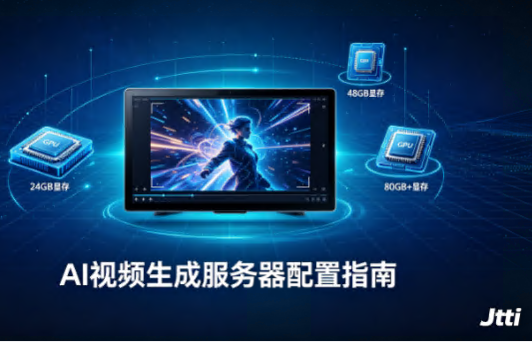
Today, we will explain the server configuration for AI video generation from three dimensions: VRAM, GPU model, and supporting hardware.
I. VRAM is the first hurdle: How much VRAM do different models need?
The core bottleneck of AI video generation is not the CPU or RAM, but the GPU's VRAM capacity. Different models have vastly different VRAM requirements.
Entry-level Models: 8GB-12GB VRAM
The minimum VRAM requirement for the 1.3B version of Alitongyi Wanxiang Wan2.1 is 8.19GB. The TI2V-5B model of Wan2.2 can also run with approximately 8GB of VRAM at lower graphics settings. The recommended configuration for the 1.3B version of Wan2.1 is an RTX 3060 or higher graphics card. These models are suitable for generating short videos at 480P resolution, with acceptable quality but limited detail and motion smoothness.
Mid-level Models: 16GB-24GB VRAM
Stable Video Diffusion (SVD) is one of the most mainstream open-source video generation models currently available. The SVD-base version requires a minimum of 16GB of VRAM, with 24GB recommended. The SVD-XT version supports generating more frames (25 frames per second), requiring a minimum of 20GB of VRAM, with 32GB or more recommended. The FP8 precision optimized version of Wan2.1-14B requires at least 16GB of VRAM.
Professional-grade models: 24GB-48GB VRAM
The BF16 precision version of Wan2.1-14B requires 48GB of VRAM. For short video generation (1-5 minutes), an RTX 4090 with 24GB of VRAM is recommended. For long video generation, more than 24GB of VRAM is required; an RTX 4090 or RTX 5090 is recommended. The Mochi 1 model also requires approximately 22GB of VRAM at BF16 precision.
Enterprise/Commercial production: 48GB-96GB+ VRAM
For 720P high-quality video generation with Wan2.1-14B, the official recommended configuration is a dual-GPU instance with 48GB of VRAM per GPU. The NVIDIA RTX PRO 6000 Blackwell Server GPU in the Amazon EC2 G7e instance has 96GB of VRAM, specifically designed for memory-intensive generative AI video models. Sora2-level video generation models require at least 80GB of VRAM per GPU for basic configuration, and over 160GB per GPU for ideal configuration.
In short: 8GB is enough but the experience is limited; 16GB is the entry-level requirement; 24GB is the mainstream sweet spot; and 48GB+ is the professional standard.
II. How to Choose a GPU Model? A Complete Solution from Entry-Level to Professional
After clarifying the VRAM requirements, let's look at the specific GPU model selection.
Entry-Level Solution: RTX 3060 12GB / Tesla T4 16GB
Suitable for individual creators to try out and learn AI video generation technology. The RTX 3060 12GB can run lightweight models such as Wan2.1-1.3B and generate 480P short videos. The Tesla T4 16GB is a common entry-level card for cloud GPU servers, offering high cost-effectiveness. It is recommended to pair it with a CPU with at least 4 cores, at least 32GB of RAM, and at least 100GB of SSD storage.
Advanced Solution: RTX 4090 24GB
This is currently the most mainstream choice for individual creators and small to medium-sized teams. The RTX 4090 can smoothly run mainstream workloads such as SVD-base, Wan2.1-14B FP8, and short video generation. 24GB of VRAM covers most serious video generation tasks, and its cost is far lower than data center-grade GPUs. A single card can handle most video generation tasks, making it the most cost-effective "sweet spot."
Professional Solution: NVIDIA L40 48GB / A10 24GB
Suitable for studios, MCN agencies, and batch video production scenarios. The L40 has 48GB of VRAM and can run Wan2.1-14B BF16 and multi-task parallel inference. The A10 24GB is suitable for medium-scale batch image output and short video generation. These GPUs support multi-card parallel processing, which can significantly improve production efficiency.
Enterprise-level Solution: NVIDIA A100 80GB / H100 80GB / RTX PRO 6000 96GB
Targeting commercial-grade video mass production, model fine-tuning, and Sora-level long video generation. The A100 80GB is the standard configuration for AI inference in data centers. The H100 80GB supports higher throughput parallel computing. The RTX PRO 6000 Blackwell Server Edition features 96GB of GDDR7 memory and 1.6TB/s bandwidth, specifically designed for enterprise-level AI video applications in data centers.
III. Supporting Hardware: More Than Just GPUs
CPU: Video generation involves tasks such as video decoding, preprocessing, and post-processing. It is recommended to choose an Intel Xeon or AMD EPYC processor with at least 4 cores. For multi-GPU parallel scenarios, the number of CPU cores needs to be increased accordingly.
Memory: A minimum of 32GB of system memory is recommended; professional scenarios require at least 64GB. Intermediate results are cached during inference; insufficient memory will slow down the overall speed.
Storage: Model weight files can easily be tens of gigabytes in size. Model files for WAN2.1-14B exceed 28GB. NVMe SSDs are recommended, as read/write speeds directly impact model loading and data processing efficiency. For long-term use, at least 500GB of storage is recommended.
Network: When accessing remotely via a cloud GPU server, network latency directly affects the user experience. Hong Kong nodes, being close to mainland China, offer lower remote desktop latency and faster upload prompts and video downloads.
IV. Local Deployment vs. Cloud GPU Servers
Local Deployment: Suitable for scenarios with long-term, high-frequency use and high data privacy requirements. However, the entry barrier is extremely high—an RTX 4090 single card costs over 10,000 RMB, and a complete system configuration easily exceeds 20,000-30,000 RMB. Furthermore, once the graphics card is purchased, it's fixed and cannot be flexibly expanded.
Cloud GPU Servers: Suitable for scenarios with limited budgets, variable usage frequency, and the need for team sharing. GPUs are rented by the hour, with no cost when not in use. For individual creators and small teams with intermittent use, cloud deployment offers far better value than local purchase. Cloud servers provide a full range of NVIDIA GPUs from T4 to A100, with flexible configurations and pay-as-you-go pricing.
V. What can Jtti offer AI video creators?
If you're looking for a cloud GPU server suitable for AI video generation, Jtti offers a complete GPU server product line, from entry-level to enterprise-grade.
Jtti's cloud servers are equipped with NVIDIA data center-grade GPUs (such as A10 and L40), high-frequency CPUs, and NVMe SSDs, specifically designed for parallel, high-load scenarios such as AI inference and video rendering. They support CUDA and TensorRT acceleration, allowing for out-of-the-box deployment of mainstream AI video generation tools such as ComfyUI, SVD, and Wan2.1.
At the network level, Jtti's Hong Kong node uses a bidirectional CN2 GIA direct connection to mainland China, with latency as low as 12-18ms in South China—for teams needing remote access to ComfyUI for video creation, low latency translates to a smoother user experience and faster video download speeds.
At the storage level, Jtti's GPU servers are equipped with high-speed NVMe SSDs, ensuring efficient model loading and data read/write operations. Hong Kong T3+ self-operated data center provides enterprise-grade hardware redundancy and 24/7 operation and maintenance support.
Selection Recommendations: Individual creators and small teams can start with RTX 4090 or Tesla T4 instances; studios needing to generate short or high-definition videos in batches are advised to choose L40 or A10; for enterprise-level commercial mass production scenarios, A100 or H100 are standard configurations. Regardless of the tier, Jtti offers flexible pay-as-you-go and long-term leasing plans.
Choosing the right server is more important than learning the prompts.
The hardware requirements for AI video generation can be summarized in one sentence: VRAM is key. 8GB is enough but the experience is limited; 16GB is the entry-level requirement; 24GB is the mainstream sweet spot; and 48GB+ is the professional standard. Choosing the wrong server will render even the best ideas and the most meticulously tuned workflows useless in the face of OOM errors.
For individual creators and small teams, cloud GPU servers are currently the most cost-effective option—no need for a one-time investment of tens of thousands of yuan in hardware; pay by the hour, only for what you use. Jtti's GPU cloud servers cover the full range of NVIDIA GPUs from T4 to A100, coupled with Hong Kong's CN2 GIA low-latency network, freeing AI video creation from hardware limitations.
After all, behind a 10-second AI video lies the iterative computation of hundreds of frames—choose the right server, and the generation speed doubles; choose the wrong one, and everything is for naught.







