
 EN
EN
 CN
CN
The Domain Name System (DNS) translates human-readable domain names into machine-readable IP addresses. When you enter a website address into a browser, the system queries a DNS server for the corresponding IP address and then establishes a connection based on that IP. If an error occurs in this translation process, the website becomes inaccessible or redirects to an unwanted location.
The two most common types of DNS anomalies are DNS poisoning and DNS hijacking. To understand the difference, it's essential to understand two key nodes in the DNS resolution chain: authoritative DNS servers (which store the actual resolution records) and recursive DNS servers (which help you get directions from the authoritative server). Poisoning and hijacking occur at different points in this chain.
DNS poisoning occurs on the path of query result "return transmission." Attackers don't need to control any DNS servers; instead, they exploit the connectionless nature of the UDP protocol to send a forged DNS response packet to the user's device before the actual response arrives. This forged packet points to an incorrect IP address (which could be an invalid address, a blocking page, or a malicious site). The user's device receives the fake packet first and discards the real one. The authoritative DNS itself is normal; the transmission link is compromised. DNS poisoning is also known as DNS cache poisoning.
DNS hijacking is more direct—attackers tamper with the DNS server's own resolution records. Whether it's compromising the ISP's DNS nodes, changing the router's DNS settings, or modifying the local hosts file with malware, the result is always the DNS server returning an incorrect IP address. The user asks the server for directions, and the server points them to the wrong path.
Symptoms can provide a preliminary diagnosis.
While both can cause access problems, their symptoms differ significantly.
A typical symptom of DNS hijacking is: the website is accessible, but the content is incorrect. You enter a domain name, the page does open, but you're redirected to an advertising page, an ISP-pushed page, or a highly similar phishing website. Even if the address bar still displays the original domain name, the content is from a different website. This is because hijacking resolves the domain to a server controlled by the attacker, but the browser still trusts the domain. Hijacking usually results in a website that "opens," but the page content is abnormal, such as redirects, inserted ads, distorted page styles, or SSL certificate errors.
A typical symptom of DNS poisoning is: the website is completely inaccessible, or the resolution results are inconsistent globally. Browsers report errors such as "Unable to connect," "Domain name resolution failed," and "SERVFAIL." The same domain name can be accessed in Beijing but not in Guangzhou; it's inaccessible in China but works normally on overseas nodes. This "randomness" and "regionality" are typical characteristics of DNS poisoning. DNS poisoning can cause websites to be completely inaccessible or fail to access in some regions.
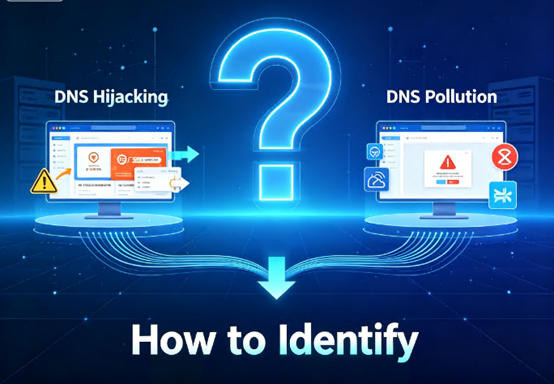
Simple way to remember: Accessible but content incorrect → check for hijacking; inaccessible or intermittently accessible → check for poisoning.
The technical causes and "perpetrators" are also different.
Behind these two abnormal paths are different actors.
DNS hijacking usually has a clear "attacker" intent. Operator pop-up ads, malicious redirection of public Wi-Fi, hackers intruding into routers to modify DNS settings, and malware tampering with the hosts file—these are all typical hijacking behaviors. Attackers want profit—traffic monetization, data theft, and phishing scams. According to monitoring data from security agencies, over 30% of enterprise networks have experienced router DNS settings being tampered with, most of which stem from failure to update firmware in a timely manner or the use of default management passwords.
The causes of DNS poisoning are more complex. In some cases, there is "active blocking"—network nodes forcibly return blocking responses for specific domains due to network management or policy reasons. However, many are technical issues: cache poisoning on cross-border links, the spread of erroneous data received by recursive servers, and attackers injecting forged records into caches using vulnerabilities. Poisoning leans more towards "link-level interference," not necessarily someone trying to steal your data, but the result is that your access is blocked. Statistics show that in 2025, approximately 18% of internet users worldwide experienced DNS poisoning to varying degrees.
How to verify which is it? Practical testing methods
Faced with abnormal access, don't guess; hands-on testing can tell the difference.
Method 1: Compare DNS resolution results
Use the `nslookup` or `dig` command to resolve the same domain name using both your local DNS and public DNS. If the public DNS returns the correct IP while the local DNS returns an incorrect IP → it's very likely that your local DNS server has been hijacked. If the results from multiple DNS servers are inconsistent—some returning normal, some returning failures, or even global distributed lookup tools showing inconsistent resolution across different regions—it's very likely DNS poisoning.
Method 2: Test by Changing Network Environments
For example, if access is abnormal under a certain Wi-Fi network but works normally under a mobile hotspot, it's often because the local ISP's link has been hijacked. If the behavior is consistent across different network environments, and there are significant regional differences, it's more likely to be data corruption.
Method 3: Precise Verification Using Command Lines
On Windows, use `nslookup domain`; on Mac/Linux, use `dig domain` to check the authoritative DNS records and compare the local return value to see if it has been tampered with. If the authoritative DNS return value is correct but the user-side resolution is incorrect, it indicates tampering or cache pollution along the way. Use `tracert` or `mtr` to trace the DNS request path; abnormal redirects may indicate hijacking.
Solution: Address the Root Cause
DNS hijacking is often a link-level interference, so changing the DNS server is the most direct solution. Users can switch to public DNS servers such as 8.8.8.8 or 1.1.1.1, or use encrypted DoH or DoT servers to avoid data interception during transmission.
Website administrators can also enable site-wide HTTPS and HSTS to reduce the risk of man-in-the-middle attacks inserting ads or malicious redirects. Deploying DNSSEC (DNS Security Extensions) verification is an effective protection measure, ensuring the authenticity and integrity of DNS responses through digital signatures.
If hijacking originates from malware or an infected router, system cleanup, firmware replacement, or device reset is required. If content is forcibly injected by an ISP for commercial purposes, complaints can be filed with the ISP or the service provider can be contacted for intervention.
Responding to DNS Poisoning
Step 1: Switch to a trusted public DNS. Many DNS poisoning problems can be completely resolved simply by changing the DNS. Public DNS servers are usually maintained by large international technology companies, offering fast resolution speeds and high security. Cloudflare 1.1.1.1, Google 8.8.8.8, or Quad9 9.9.9.9 are recommended.
Step 2: Refresh the local DNS cache. Devices cache DNS resolution results. If the cache already records a "poisoned address," even after changing the DNS, access may still be impossible due to the old cache. On Windows, execute `ipconfig /flushdns`; on macOS, execute `sudo dscacheutil -flushcache`.
Step 3: Use encrypted DNS protocols. DNS over HTTPS or DNS over TLS prevents man-in-the-middle tampering by encrypting DNS queries and responses. Major browsers such as Chrome, Firefox, and Edge all have built-in support for encrypted DNS. DoH encapsulates DNS queries within the HTTPS protocol, making it indistinguishable from regular web browsing traffic, making it difficult to identify and interfere with; DoT establishes a dedicated TLS encrypted channel for DNS communication.
Step 4: Modify the Hosts file. For frequently visited specific websites, modifying the Hosts file is an immediate method to prevent pollution. The Hosts file has higher priority than DNS queries; by manually adding the correct resolution records, the DNS system can be completely bypassed.
Jtti: Providing a reliable DNS environment for your business
DNS pollution and hijacking not only affect user experience but can also cause substantial losses to business operations—users cannot access the site, orders are lost, and brand reputation is damaged.
Jtti understands the importance of DNS security for business continuity. As a Singapore-based global network infrastructure provider, Jtti offers cloud servers, dedicated servers, and DDoS protected servers covering data centers in Hong Kong, Japan, the United States, and Singapore, helping users mitigate DNS anomaly risks at the source:
High-quality network resources reduce the probability of DNS poisoning. Jtti's Hong Kong CN2 GIA node uses bidirectional optimized lines, achieving latency as low as 12-18ms in South China; its Japan node utilizes multi-line optimization from IIJ and SoftBank. High-quality lines mean a more stable DNS query path, significantly reducing the probability of interception and poisoning.
Multi-node global deployment ensures DNS resolution availability. Jtti deploys multiple data center nodes globally, allowing users to choose the optimal region based on their business needs. Even if DNS resolution in one region fails, other nodes maintain normal service.







